Pogo Connect stylus sensitivity fix
About a month ago I received a replacement Pogo Connect Smart Pen due to a defect that caused it to stop working. Using this replacement for a few days it was clear to me that something was different about this newer model.
I use Paper by FiftyThree exclusively for drawing with the occasional Procreate experiment. When using either app I noticed that the sensitivity of the Pogo’s tip seemed off. To get the full range of stroke sizes I now had to press extremely hard to register a wide stroke (see screenshot below), which started to screw with how I draw.
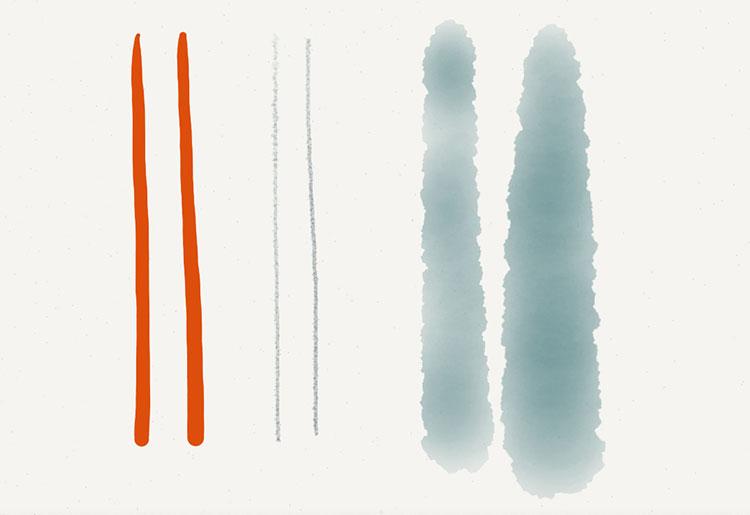
Isolating the cause is hard because so many factors had changed around the same time.
- Apple released iOS 7, a major rewrite and update to the iPad’s operating system.
- TenOne Design updated the Pogo Connect’s firmware to 1.1.0 — needed for some of the new tips they recently released.
- Design changes were made to the Pogo Connect to reinforce the internals and tip.
From my tests it seems to be related to the 1.1.0 firmware or the extra solder being used to keep the tip from busting off. Older Pogo’s with the 1.0.6 firmware worked fine with iOS 7 and updated apps.
But how do you fix it?
To begin, open Paper by FiftyThree1 or your Pogo Connect supported app of choice, and press the button on the stylus to establish a connection.
Next you’ll need to open (or download) the free Pogo Connect app. With it you can do fun stuff like locate your Pogo if it’s lost somewhere in your house, update the firmware, rename your Pogo, draw, or adjust the tip’s pressure sensitivity.
Upon opening the app you should notice it trying to connect to the stylus. When that completes, tap the Configuration tab at the bottom to customize the stylus to your liking. The two settings I altered to make it behave how it used to were Locator Beacon and Pressure Amount.
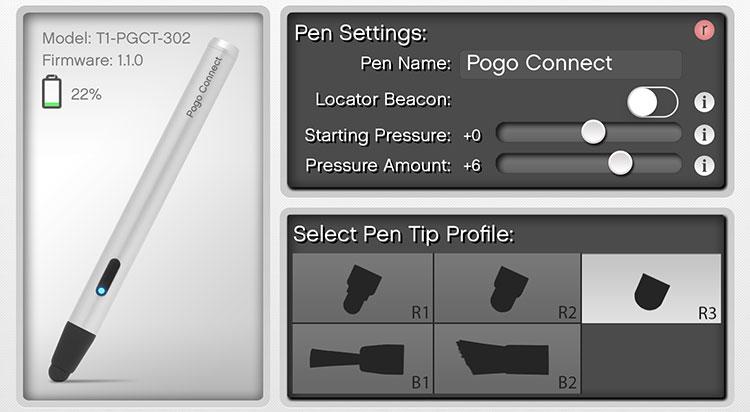
I turned off the Locator Beacon, set Pressure Amount to +6, and selected the R3 tip to profile.
After making these changes you can doodle around in the space below to verify the sensitivity settings are to you liking. You can then switch back to Paper and the new settings should be noticeable in the app.
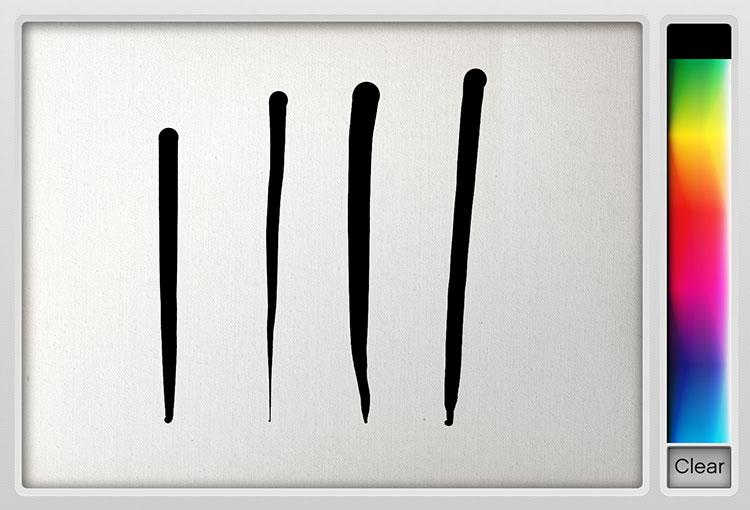
Any sensitivity settings you made in the Pogo Connect app don’t appear to “stick” if the apps go to sleep or you lose a connection with the stylus. Following these steps seems to work at restoring them when using Paper by FiftyThree:
- Unscrew the cap on the Pogo Connect and take out the battery.
- Wait a few seconds and then place the battery back in and screw the top on to power cycle the Pogo.
- Reconnect the stylus to Paper. You may have to force quit2 the app if it doesn’t connect.
- After establishing a connection reopen the Pogo Connect app, wait for it to connect to the stylus, and then tap the Configuration tab again.
- Check that the Pressure Amount slider is set properly and make a few test strokes in the space below to verify it is receiving input from the tip.
- Switch back to Paper and you’re good to go…for now.
It’s sort of a pain having to open another app each time I sit down to work on an illustration, but what can you do? I’m not entirely sure why the sensitivity settings don’t persist when the stylus or app goes to sleep.
-
As of version 2.5 FiftyThree has dropped support for the Pogo Connect Smart Pen.
↩ -
To force quit an app press the home button twice in rapid succession. Doing so will bring up a screen showing your recently used apps. Swipe left or right to find the app you want to quit and then swipe it up to remove it from view.
↩
8 comments